 Barkley
 reads a Marketplace app's code before it runs in your home.
Barkley is a static security scanner. It downloads the code of a Marketplace (formerly HACS) integration or card, reads it, and tells you what it found. It never runs, builds or installs that code. Barkley runs as an app in your Home Assistant sidebar, or on its own next to Home Assistant.
Before you rely on it
A clean result doesn't make an app safe
Barkley only catches what its rules describe, so a clean result means none of them matched. It reports what it finds and never blocks or removes an app.
It reads integrations and cards
Barkley reads Marketplace integrations and dashboard cards. Support for Home Assistant apps (add-ons), AppDaemon apps and Python scripts is planned. Themes aren't checked.
The readings come from fixed rules
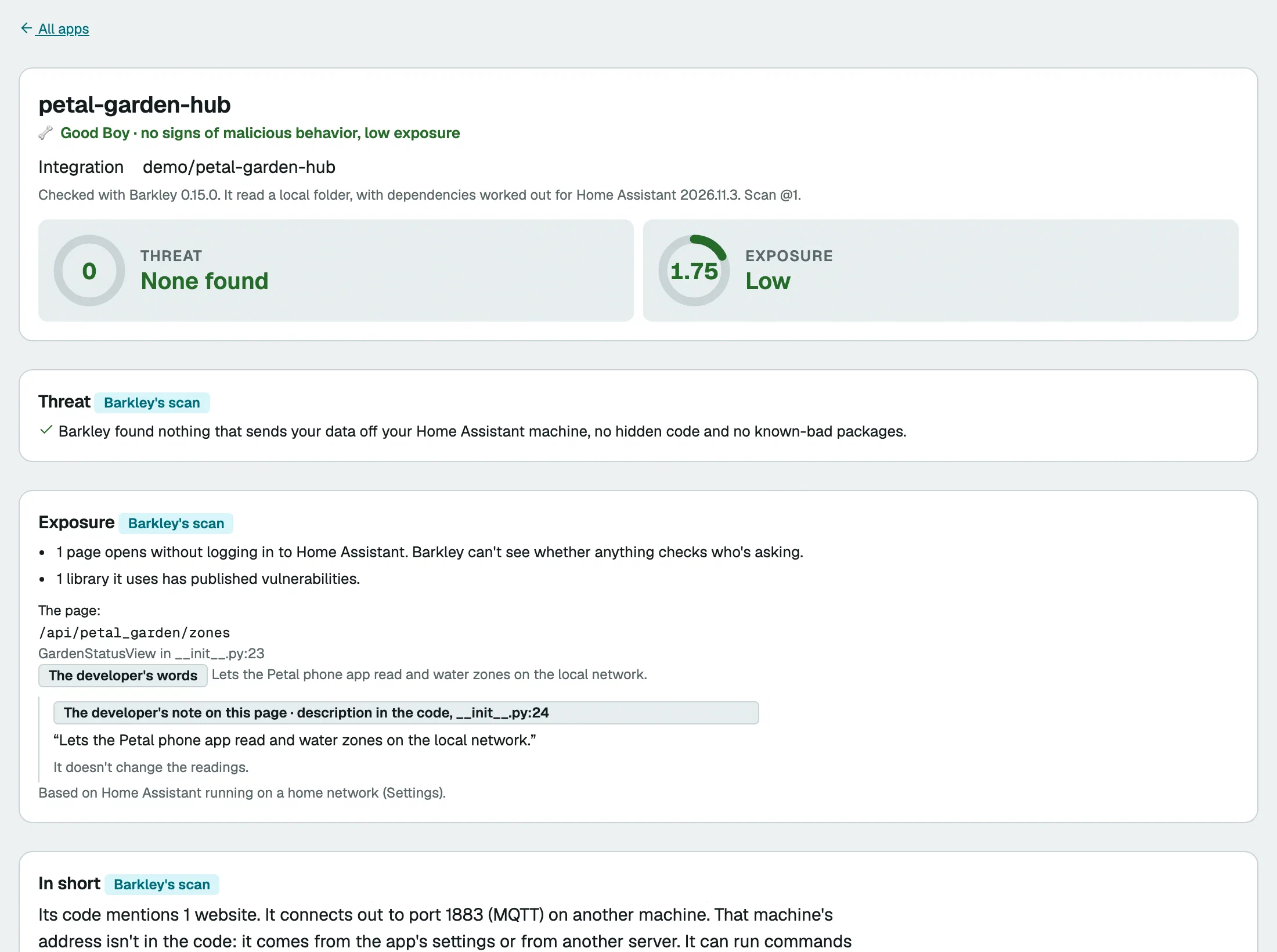
Each app gets two readings, Threat and Exposure. The optional AI features can explain a result, but they can't change it.
What Barkley does
Each item links to its page in the docs.
Screenshots
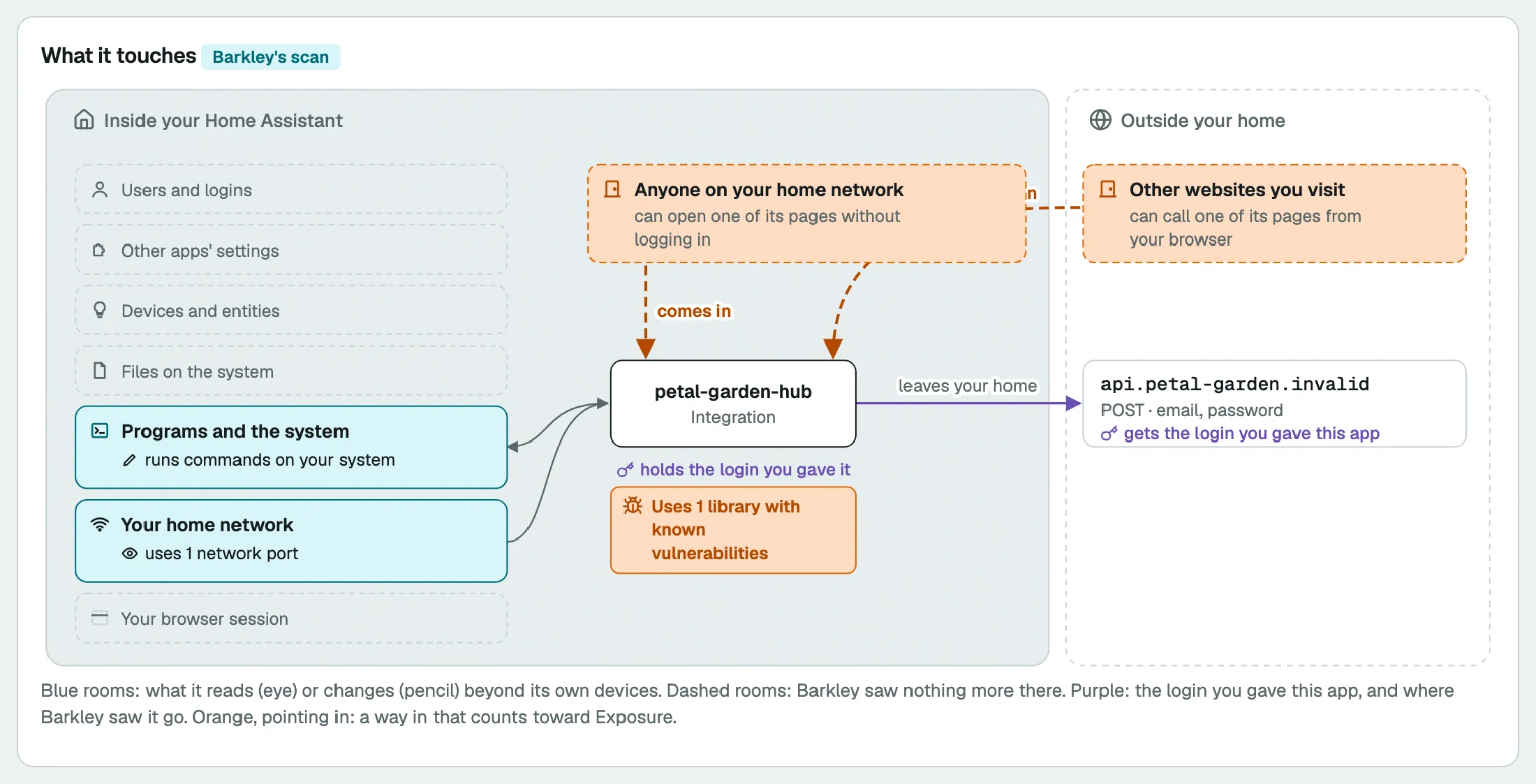
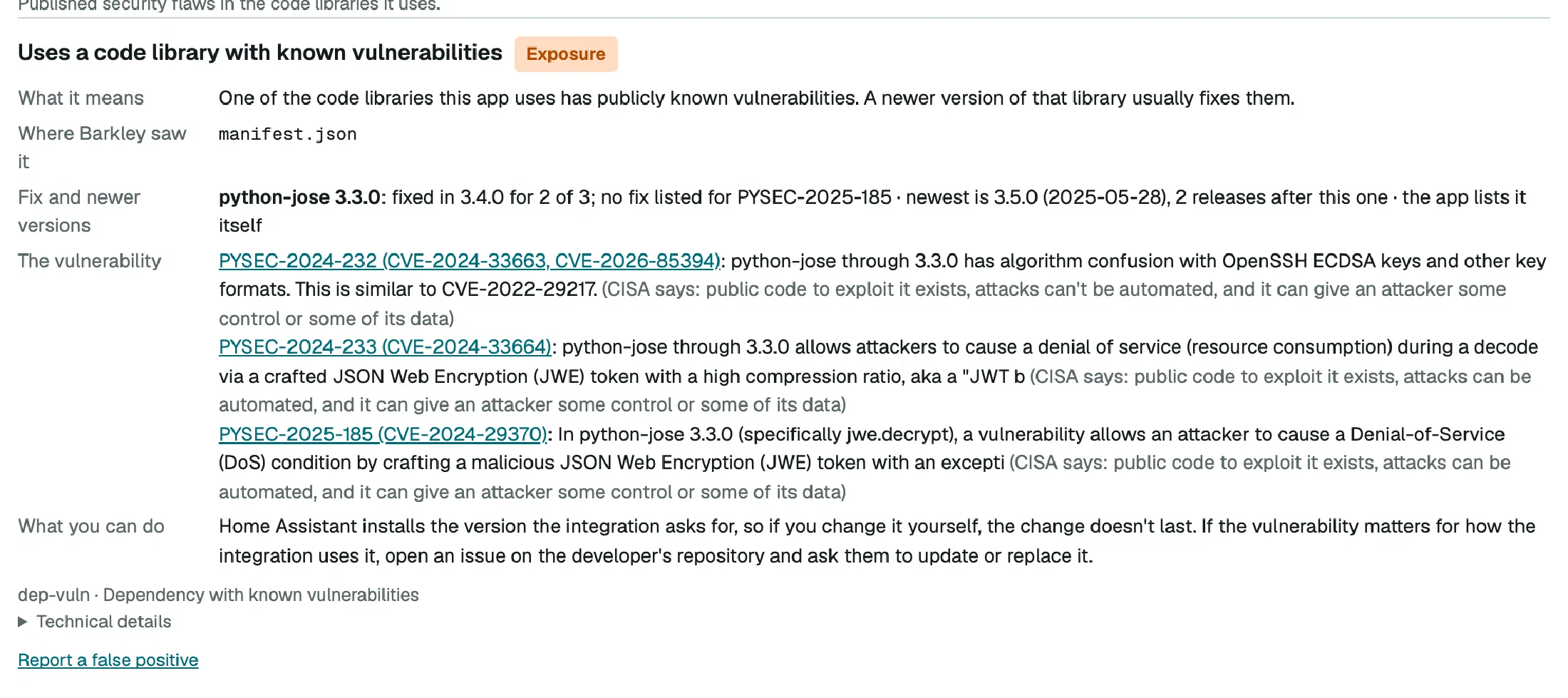
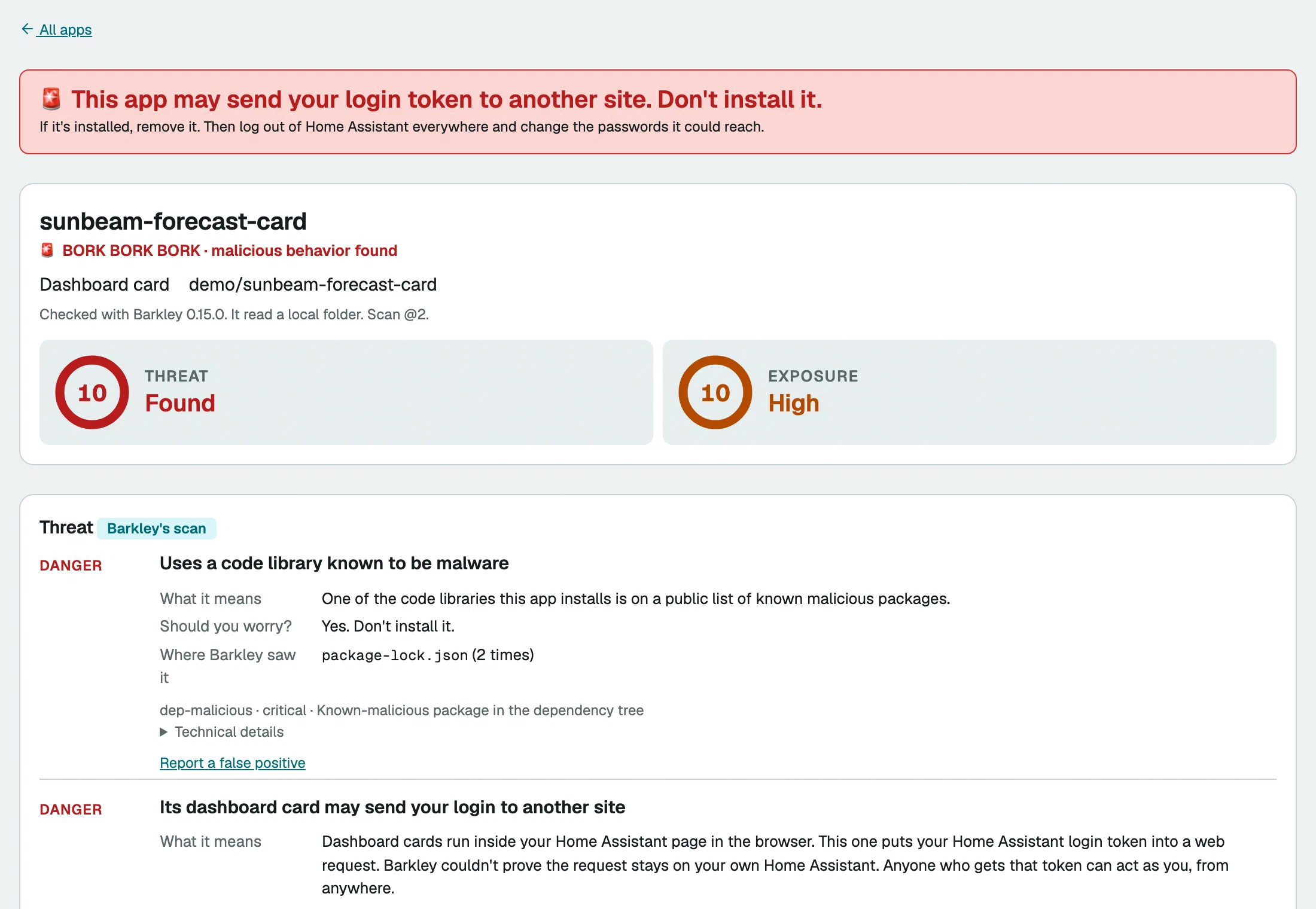
Click a screenshot to see it full size.
Install
- In Home Assistant, go to Settings → Apps → the app store → ⋮ → Repositories, and add
https://github.com/SeriesOfTubez/ha-barkley - Install Barkley, start it, and open it from the sidebar.
The app needs Home Assistant OS. The app store downloads a prebuilt image for amd64 or aarch64. Installing and updating
On Home Assistant Container?
The same image runs as a container next to Home Assistant or on another machine, with a login through Home Assistant. Standalone setup
For developers and the Home Assistant community
Building Barkley and scanning the whole Marketplace taught me a lot about how these projects are run. These pages share what I learned. You don't need Barkley to use any of them.